Arduino
- Download Arduino
- To add board support for RAK11200 on Arduino, start Arduino IDE and open the Preferences window (File > Preferences).
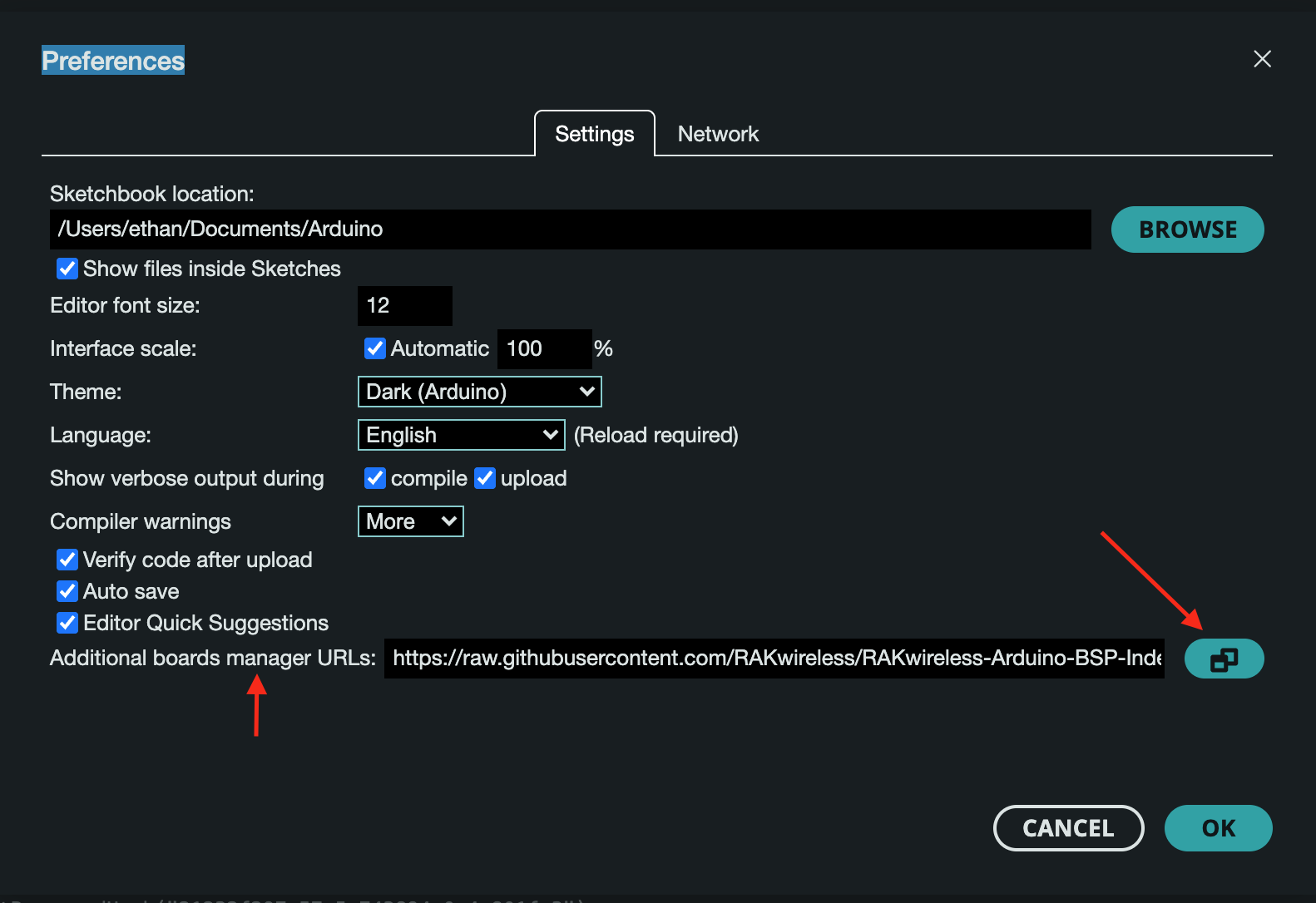
- Copy https://raw.githubusercontent.com/RAKwireless/RAKwireless-Arduino-BSP-Index/main/package_rakwireless_index.json
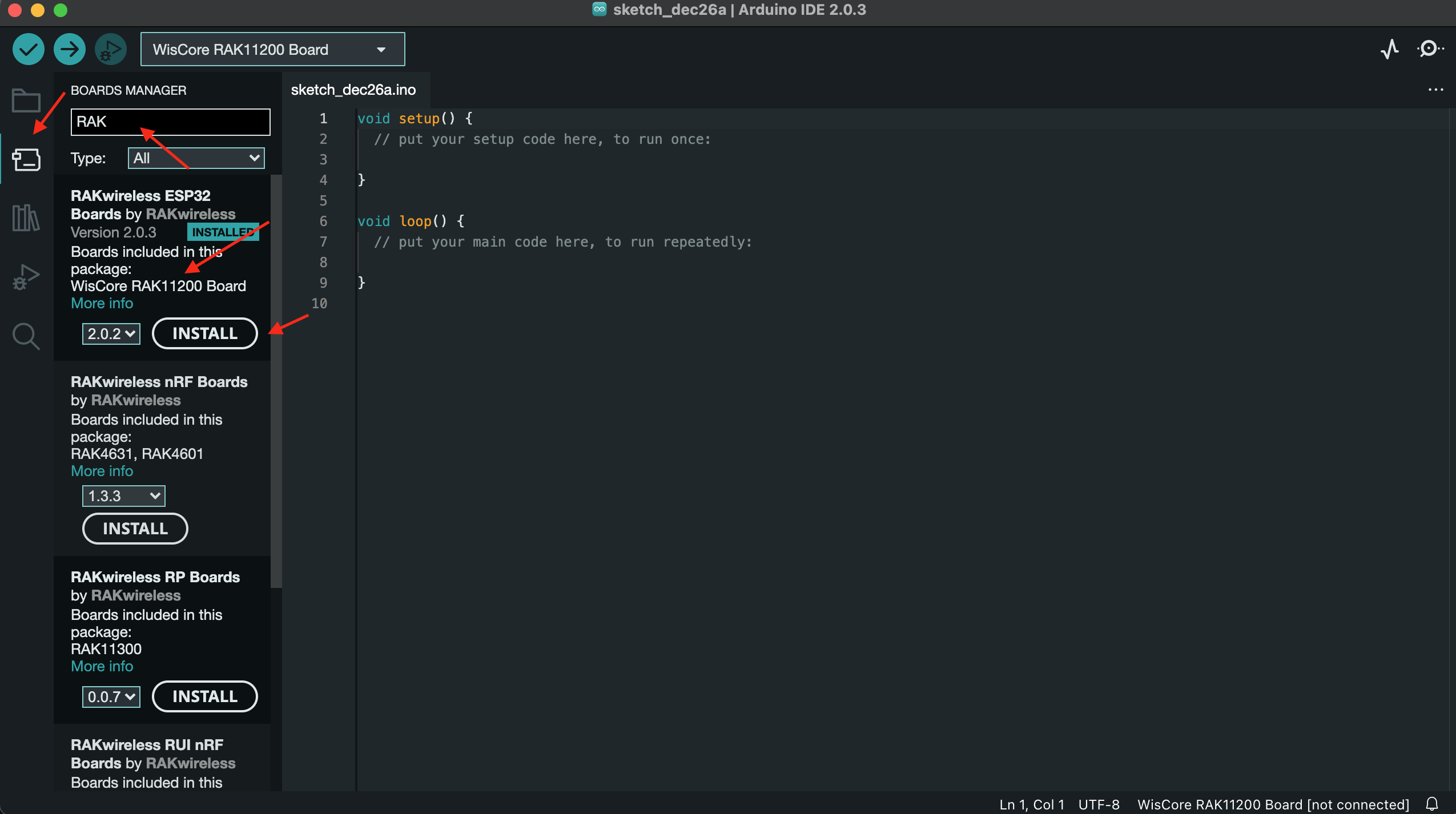
- Open board manager, type RAK and choose the corresponding board.
- Connect Board with USB. You are required to find the port.
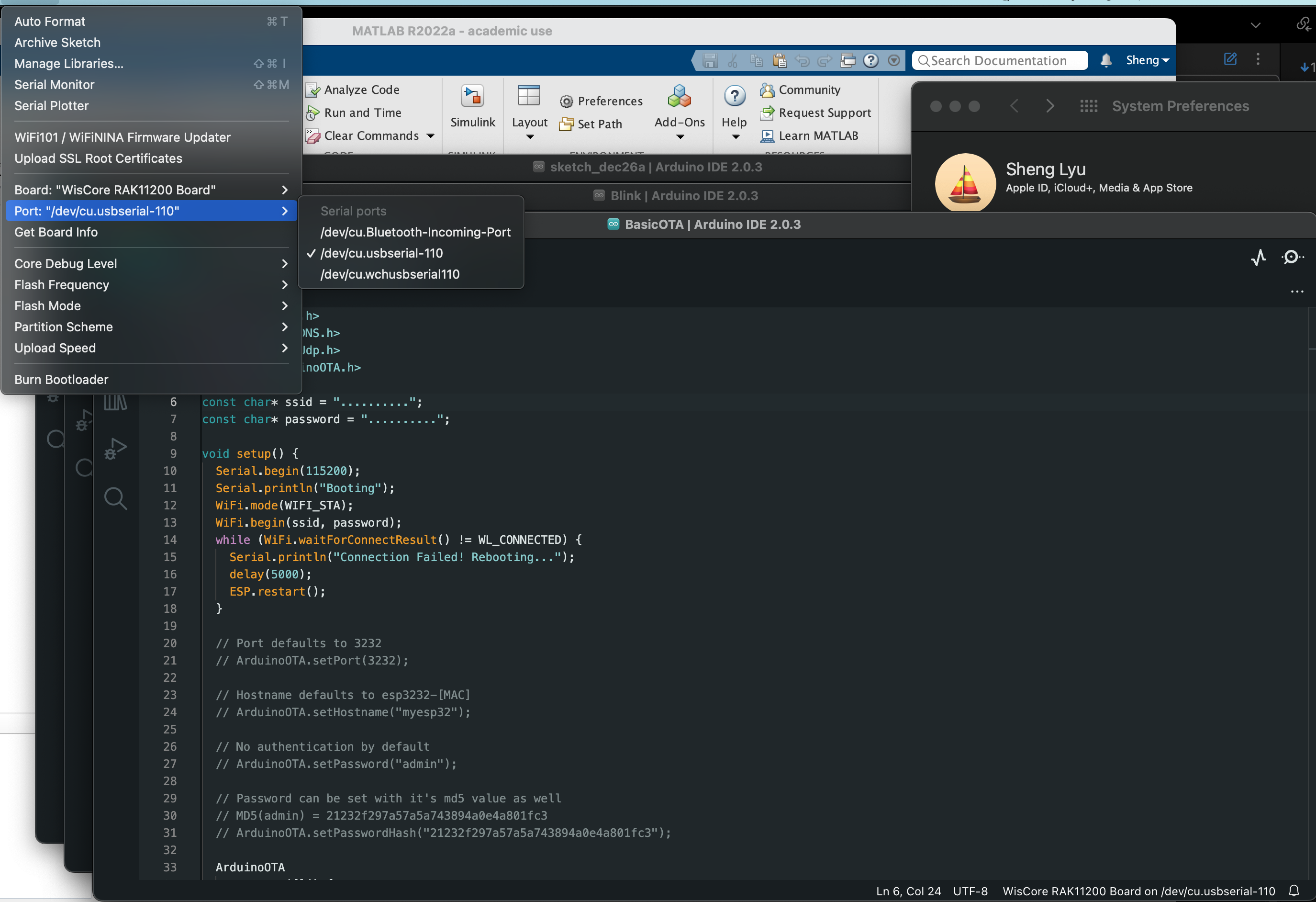
To check if it is the right port, plug out and in to see if it disappears/appears.
Remember to check if the connection of wire is good.
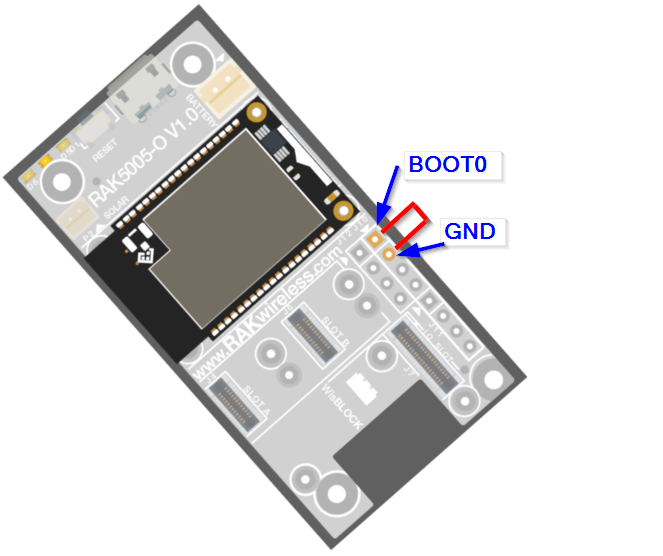
5. Short Boot0 and Ground
 6. When uploading and showing “connecting”, press the reset for at least 2 seconds.